Security Alert
Phishing Emails Are Increasing
We all need to stay sharp when it comes to phishing emails. These messages are one of the most common ways cybercriminals try to steal passwords, personal information, or access to systems. If anything looks off, report it right away (even if you’re not sure).
How to spot phishing fast
-
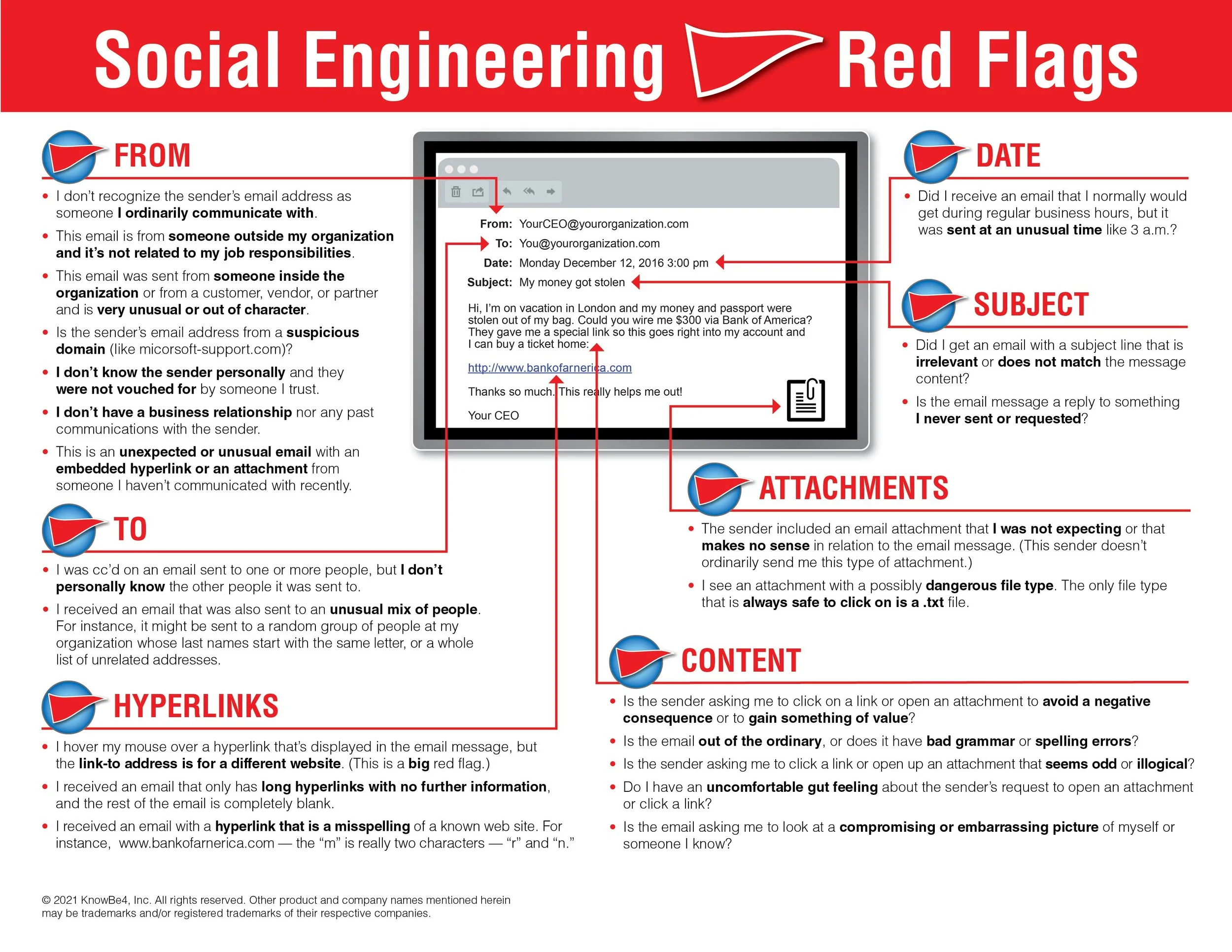
Check the sender’s email address Make sure the domain matches the organization exactly. Watch for misspellings, extra letters, numbers, or odd characters.
-
Watch for things that feel “off” Awkward wording, poor grammar, strange formatting, or a pushy sense of urgency are common red flags.
-
Verify through another channel If it claims to be from someone you know but seems unusual, confirm via phone/text/Teams/RingCentral.
-
Be cautious with generic email accounts Legitimate business emails usually come from official domains, not Gmail/Yahoo, especially when asking you to click or act.
-
Check links before clicking Hover to preview the URL. Look for misspellings, unfamiliar domains, or anything that doesn’t match the sender.
If something seems suspicious: do not click links, do not download attachments, and do not reply. Report it.
Phishing safety checklist (quick)
- Does the sender’s domain match the organization exactly?
- Does it feel rushed, urgent, or threatening?
- Any spelling, grammar, or formatting issues?
- Is it requesting login info, payment, gift cards, or a download?
- Does the link preview match the sender and make sense?
If you answer “no” to any of these or feel unsure at any point → report it.
What to do if you clicked a link
If you accidentally clicked a link or opened an attachment, don’t panic — but act quickly:
-
Do not enter any passwords or personal infoIf a page opens, close it immediately.
-
Close the tab and do not replyDon’t interact further with the email.
-
Take a screenshot if you canThis helps us report and block similar attempts.
-
Report it to Sam right awayFast reporting helps protect accounts and systems.
Visual example: safe email vs phishing email
Below are simple examples showing what to look for. These are mockups (not real emails), but the red flags are realistic.
Example A: Legitimate email
SAFEbilling@trustedclinic.com
https://trustedclinic.com/portal
Good
Sender domain matches the organization and looks normal.
Good
Link preview matches the same trusted domain and uses https.
Example B: Phishing attempt
PHISHINGsupport@trvstedcllnic.com
http://trustedclinic-security-login.com
Red flag
Domain is slightly misspelled (looks close, but not the same).
Red flag
Link goes to an unrelated domain and uses http (not https).
Red flag
Often includes urgency like “act now,” “account locked,” or “verify immediately.”
.